Navigation menu
hello Guest

Administrator Manual
Multiple Enroll
- To enroll multiple students under an instructor, select the Multiple Enroll option. Provide the details in the following format for enrolling multiple students at a time: Email id, First Name, Last Name, Password, Access Code (One user per line).
- You can link the students to an instructor. To do so, check the Link with instructor checkbox. Select the instructor, course, and section to which you want to enroll students. Finally, click the Next button.
- You can see the status of the emails which you want to enroll. Check all the checkboxes from the first column of the table and click the Enroll selected button.
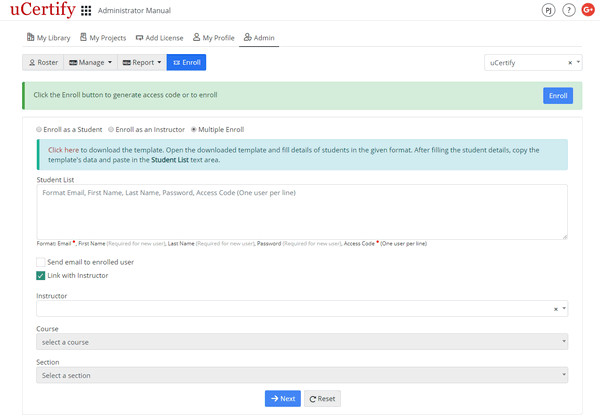
Figure 5.9: Enroll Page with Multiple Enroll Button